Everything you need to configure and master Tada Alerts.
Browse step-by-step guides with real Shopify Admin screenshots covering onboarding, chat channel integrations, detection thresholds, one-tap fulfillment holds, and GDPR compliance.
Select a documentation topic
Each article walks through the exact screen inside the embedded Shopify Admin app.
 Guide 01
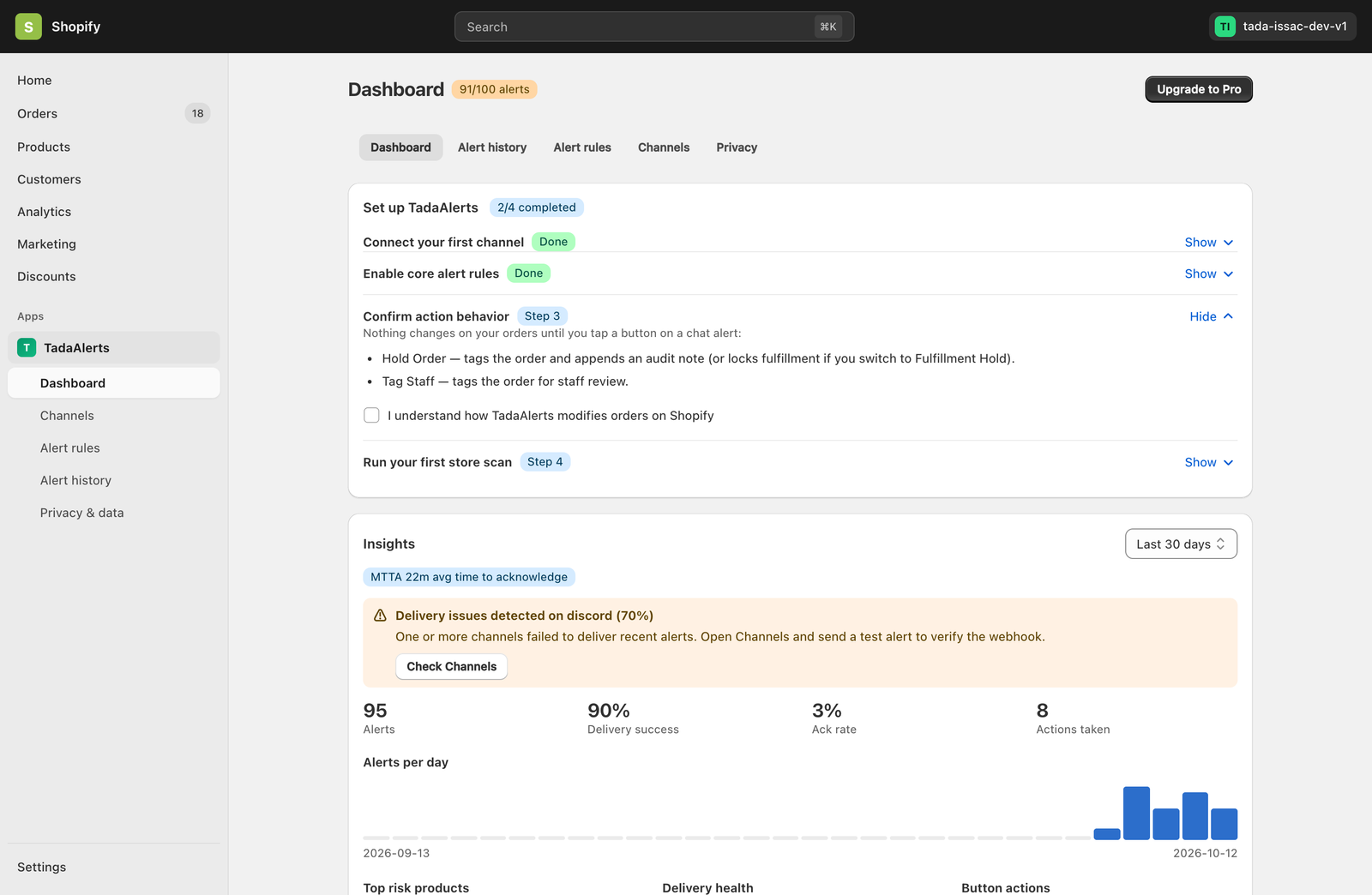
Getting Started & 4-Step Setup Guide
Install Tada Alerts from Shopify Admin, complete the 4-step interactive onboarding checklist, and run your initial store scan in under 3 minutes.
Read full guide →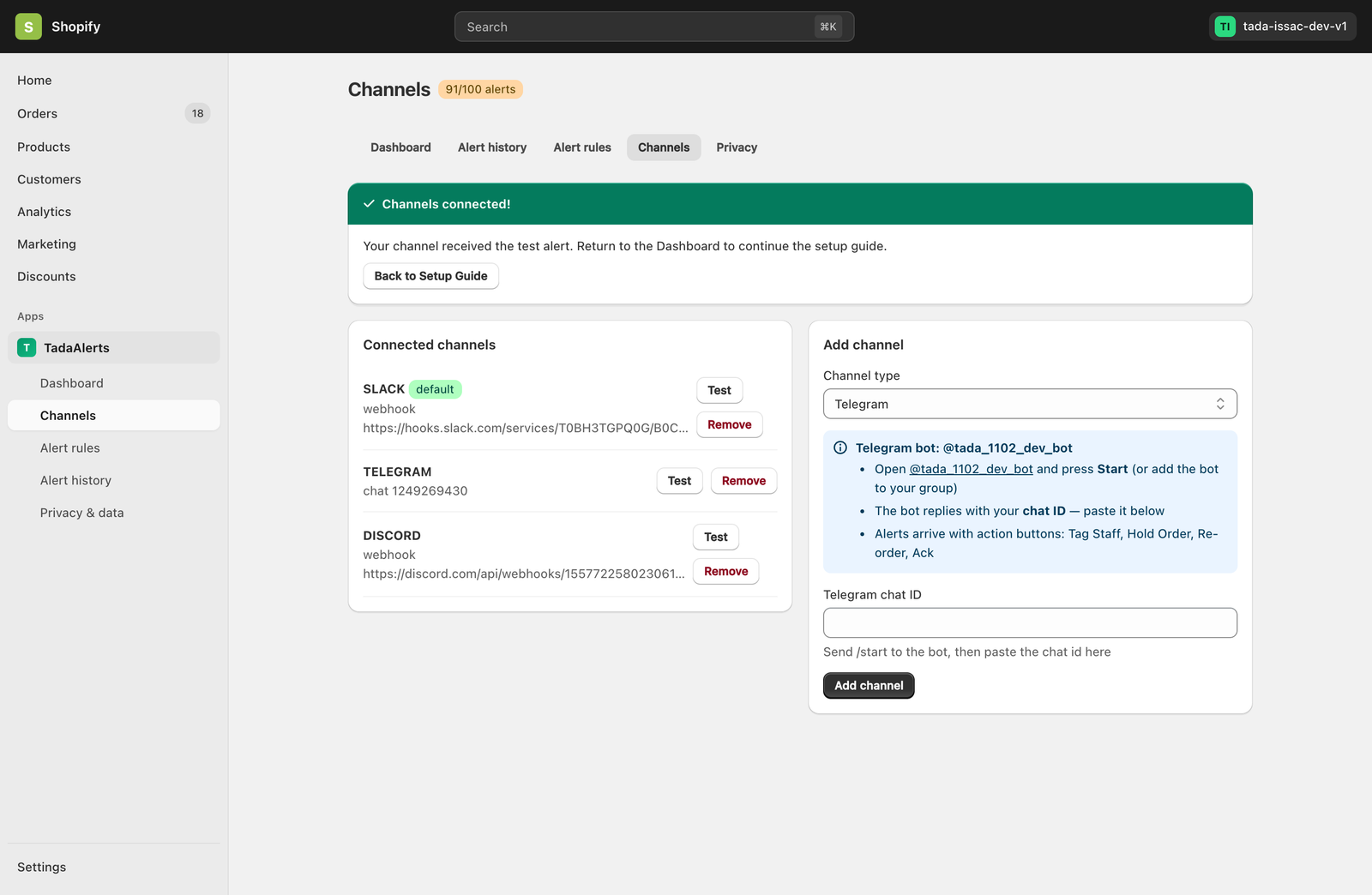 Guide 02
Connecting Telegram, Slack, Discord & Webhooks
Route real-time store alerts to your ops team’s favorite chat workspace with interactive buttons or custom JSON webhooks.
Read full guide →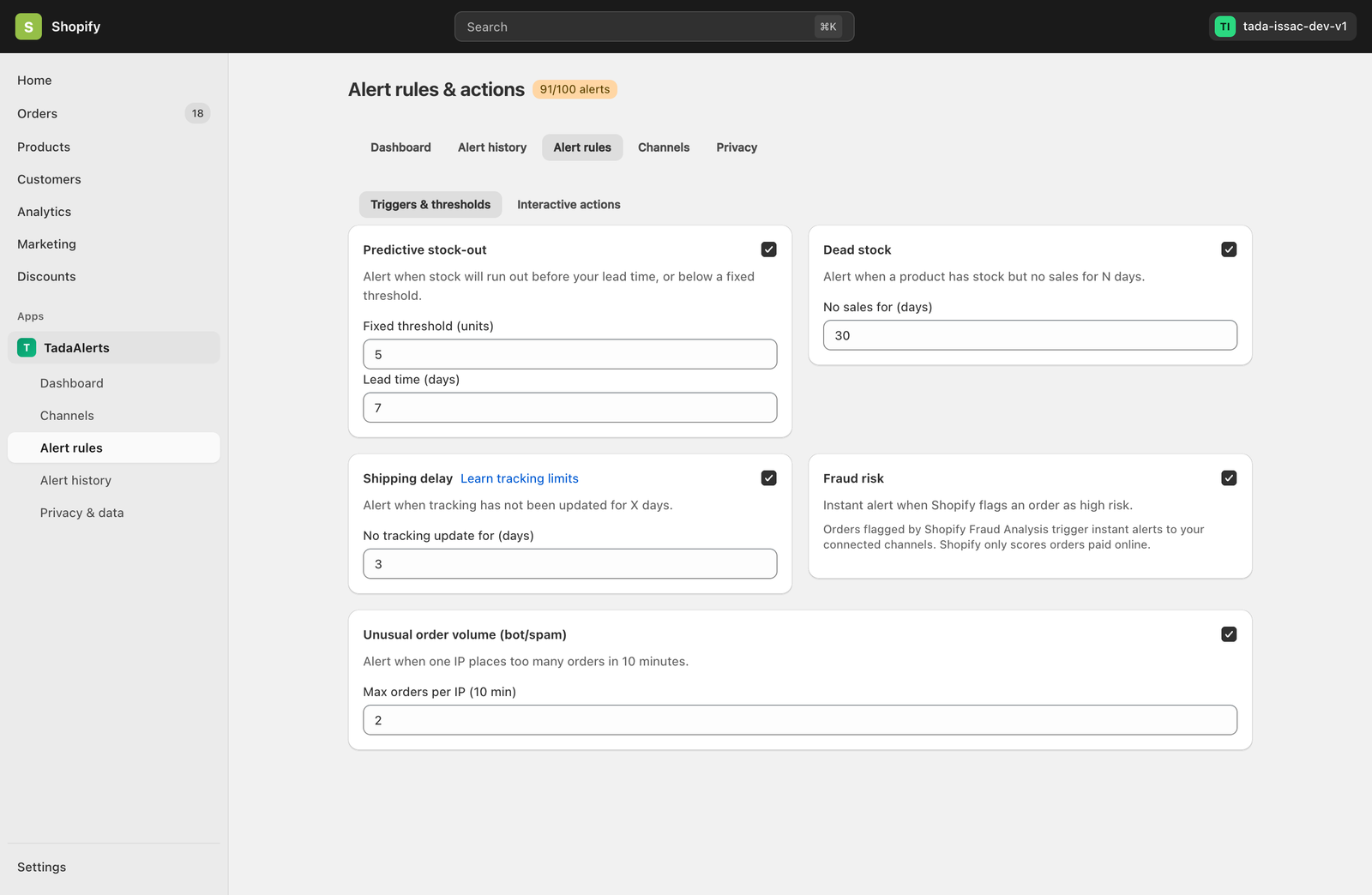 Guide 03
Configuring the 6 Core Alert Rules & 2-Layer Delay Detection
Fine-tune Predictive Stock-Out, Dead Stock, Fulfillment Delay (Layer 1), Shipping Delay across 3,500+ Carriers (Layer 2), Fraud Risk, and Unusual Order Volume detection.
Read full guide →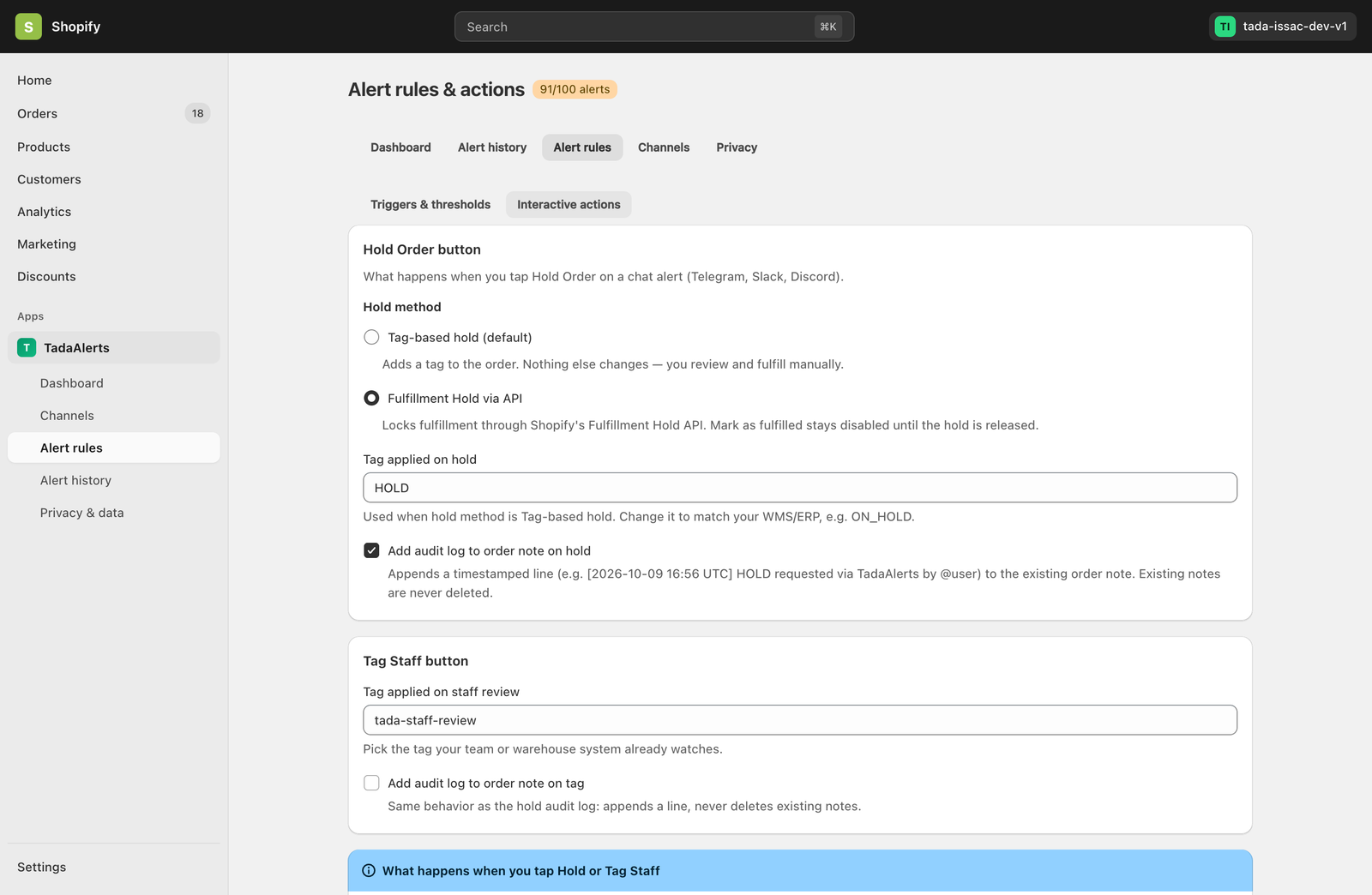 Guide 04
One-Tap Chat Actions & Native Fulfillment Hold
Hold suspicious orders via Shopify’s GraphQL FulfillmentOrderHold API, tag staff for review, and append non-destructive audit notes directly from chat.
Read full guide →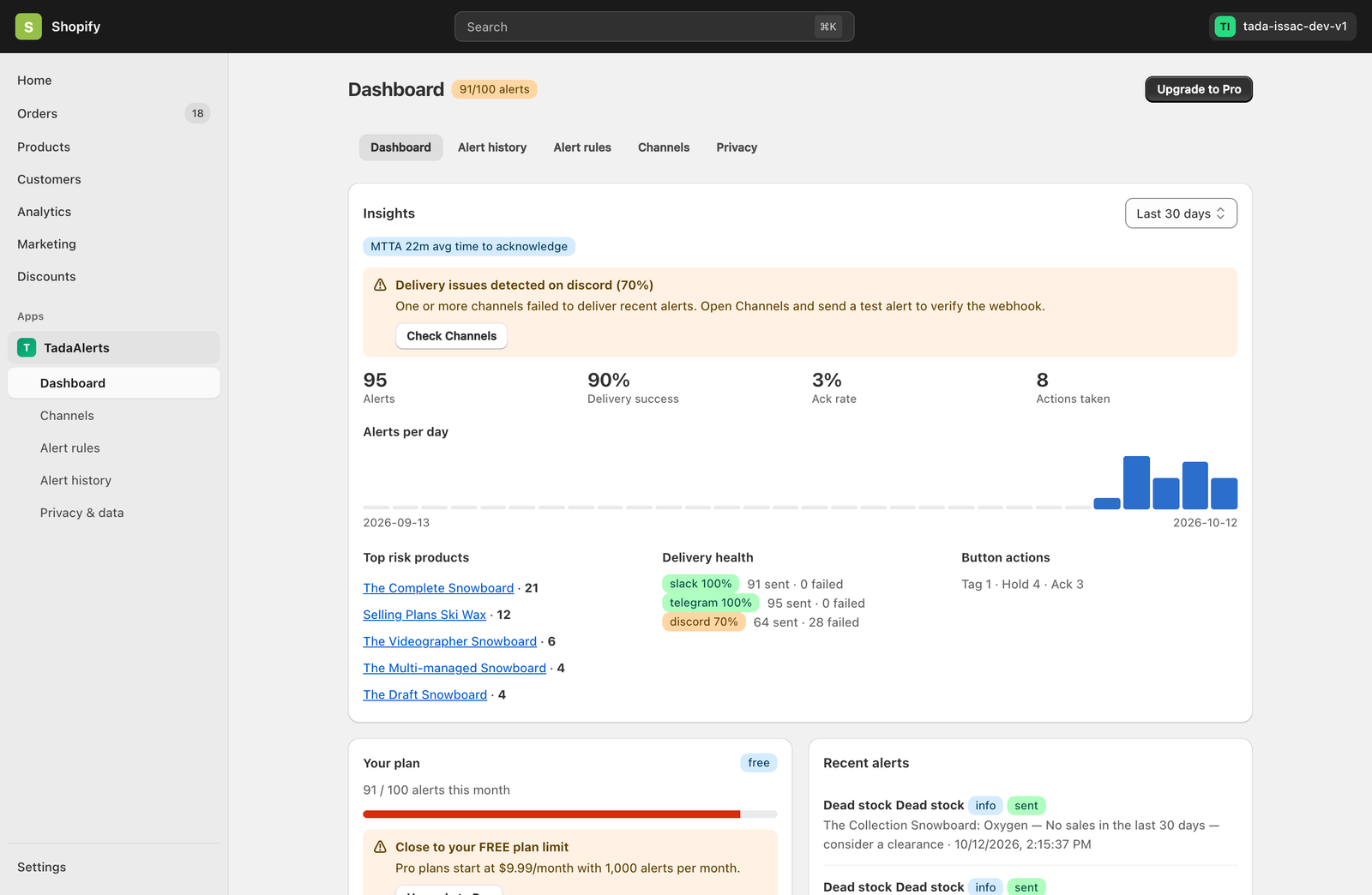 Guide 05
Dashboard Insights, MTTA & Alert History
Track Mean Time to Acknowledge (MTTA), 14-day alert volume trends, top risk products, channel delivery health, and full alert audit logs.
Read full guide →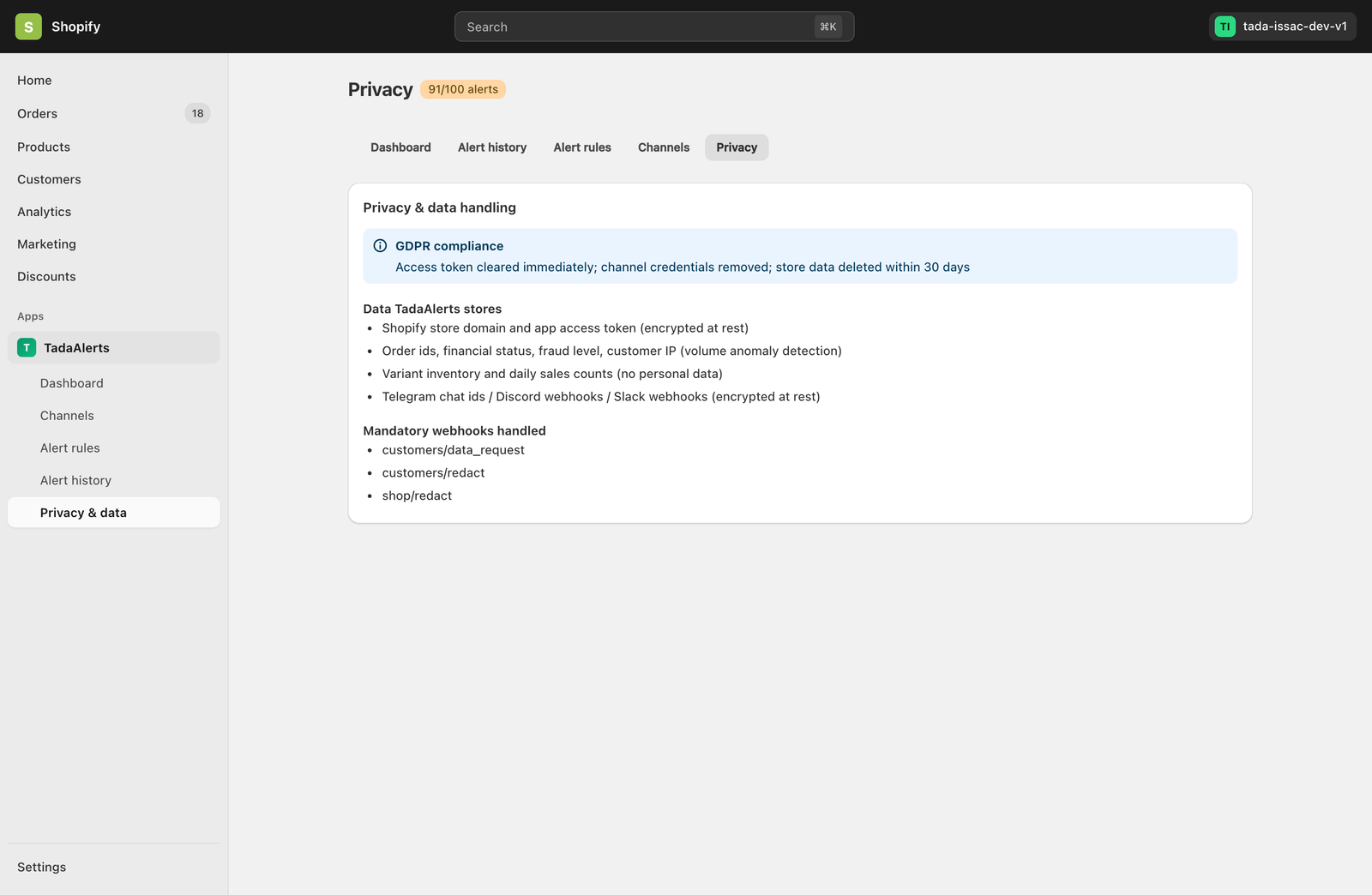 Guide 06
Plans, Tracked Shipments Quota, Billing & GDPR Privacy
Understand Free (100 alerts / 20 tracked shipments) vs. Pro ($9.99/mo · 1,000 alerts / 300 tracked shipments), 2-layer delay quotas, and GDPR compliance.
Read full guide →Built for Shopify Architecture
Tada Alerts runs 100% embedded inside your Shopify Admin using Polaris v13, App Bridge v3 session tokens, and the official Shopify GraphQL Admin API (2026-10) with zero storefront scripts.