Dashboard Insights, MTTA & Alert History
Track Mean Time to Acknowledge (MTTA), 14-day alert volume trends, top risk products, channel delivery health, and full alert audit logs.
Dashboard Insights & Operational KPIs
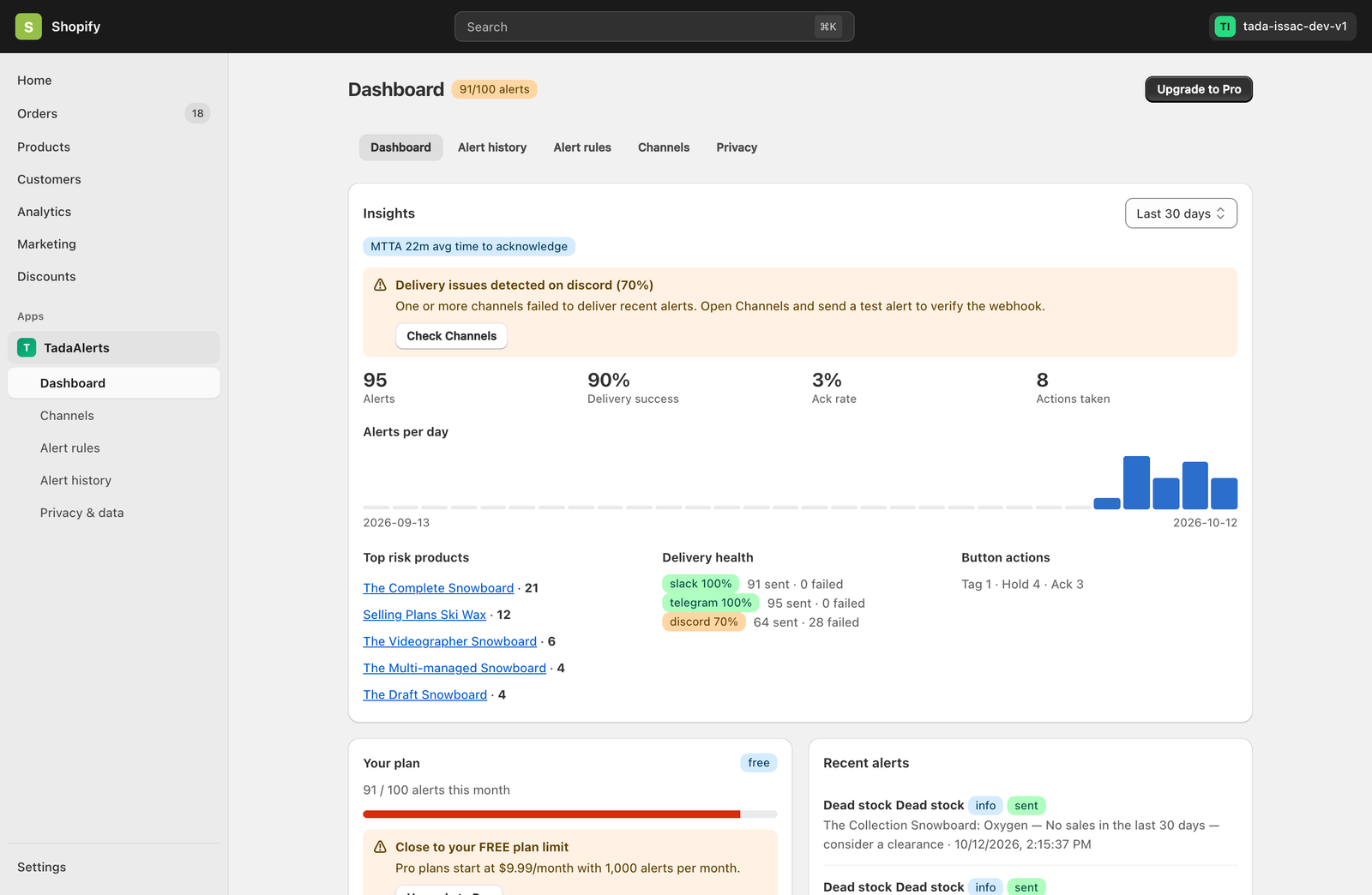
The Tada Alerts Dashboard gives store owners and operations managers a real-time pulse on store risks, team responsiveness, and notification reliability across a selectable Last 7 days, Last 14 days, or Last 30 days window.
Key Metrics Tracked on the Dashboard
- MTTA (Mean Time to Acknowledge): Displayed as a prominent badge at the top of Insights (e.g.,
MTTA 22m avg time to acknowledge), measuring how quickly your team taps Ack, Hold Order, or Tag Staff after an alert is dispatched. - Alerts, Delivery Success, Ack Rate & Actions Taken: Four headline KPI counters summarizing total alerts fired, percentage successfully delivered across all channels, acknowledgment rate, and total interactive chat actions executed.
- Proactive Delivery Issue Banner: If any connected webhook or bot channel experiences delivery failures (for example, an expired Discord or Slack webhook URL), Tada Alerts automatically surfaces an amber warning banner with a direct Check Channels shortcut.
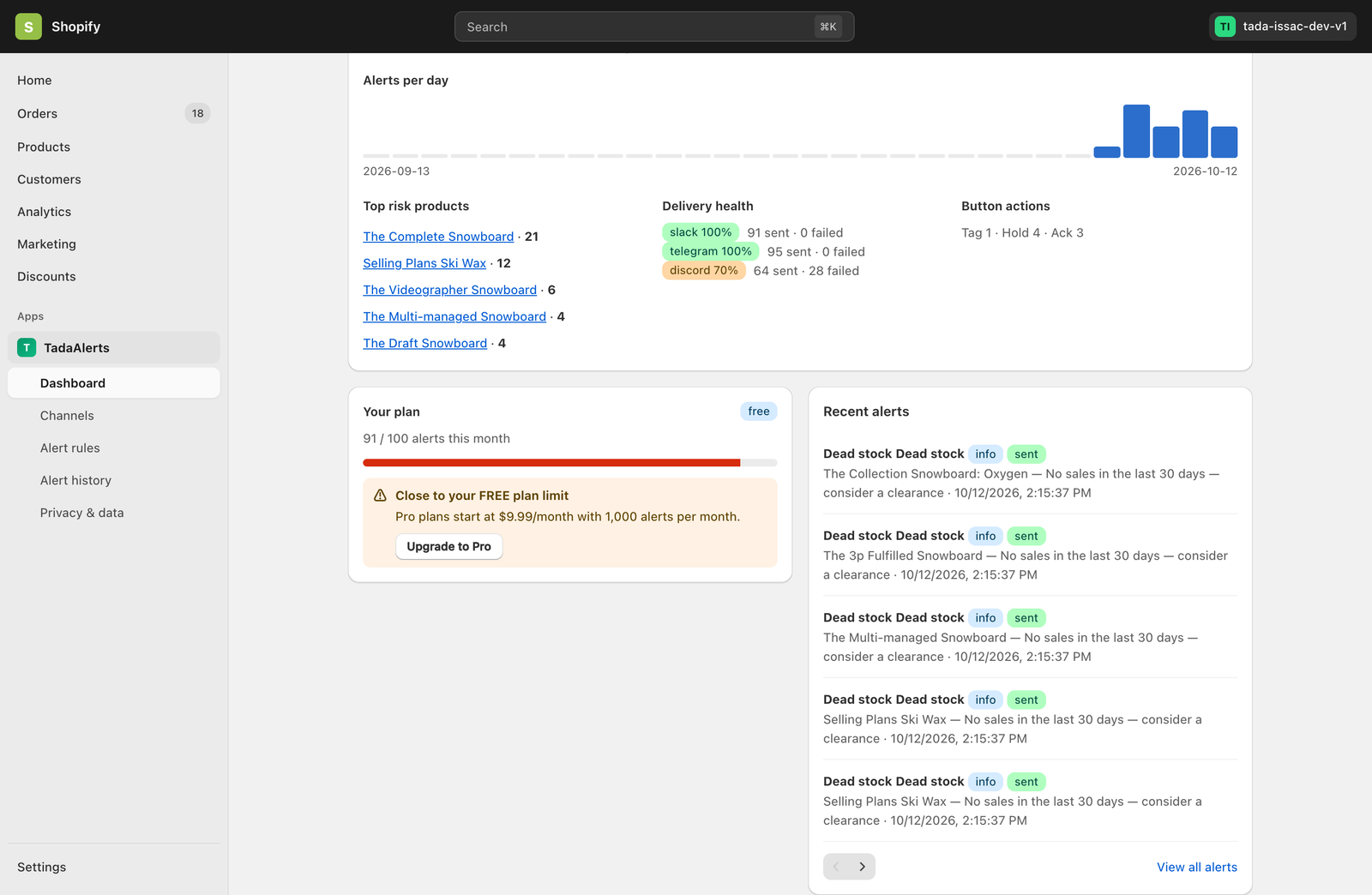
- Top Risk Products: Ranks the top 5 products in your catalog that triggered the most stock-out or dead-stock alerts during the selected period, with direct links to inspect each product.
- Delivery Health & Button Actions Breakdown: Shows per-channel delivery reliability badges (e.g.,
slack 100%,telegram 100%) and a breakdown of interactive button usage (Tag · Hold · Ack).
Plan Quota & Recent Alerts Feed
Below the Insights card, the Dashboard displays your monthly alert quota progress bar alongside the 5 most recent alerts fired on your store.
Searching & Filtering Alert History
Click Alert history in the navigation menu to access the complete, paginated audit log of every alert generated for your store.
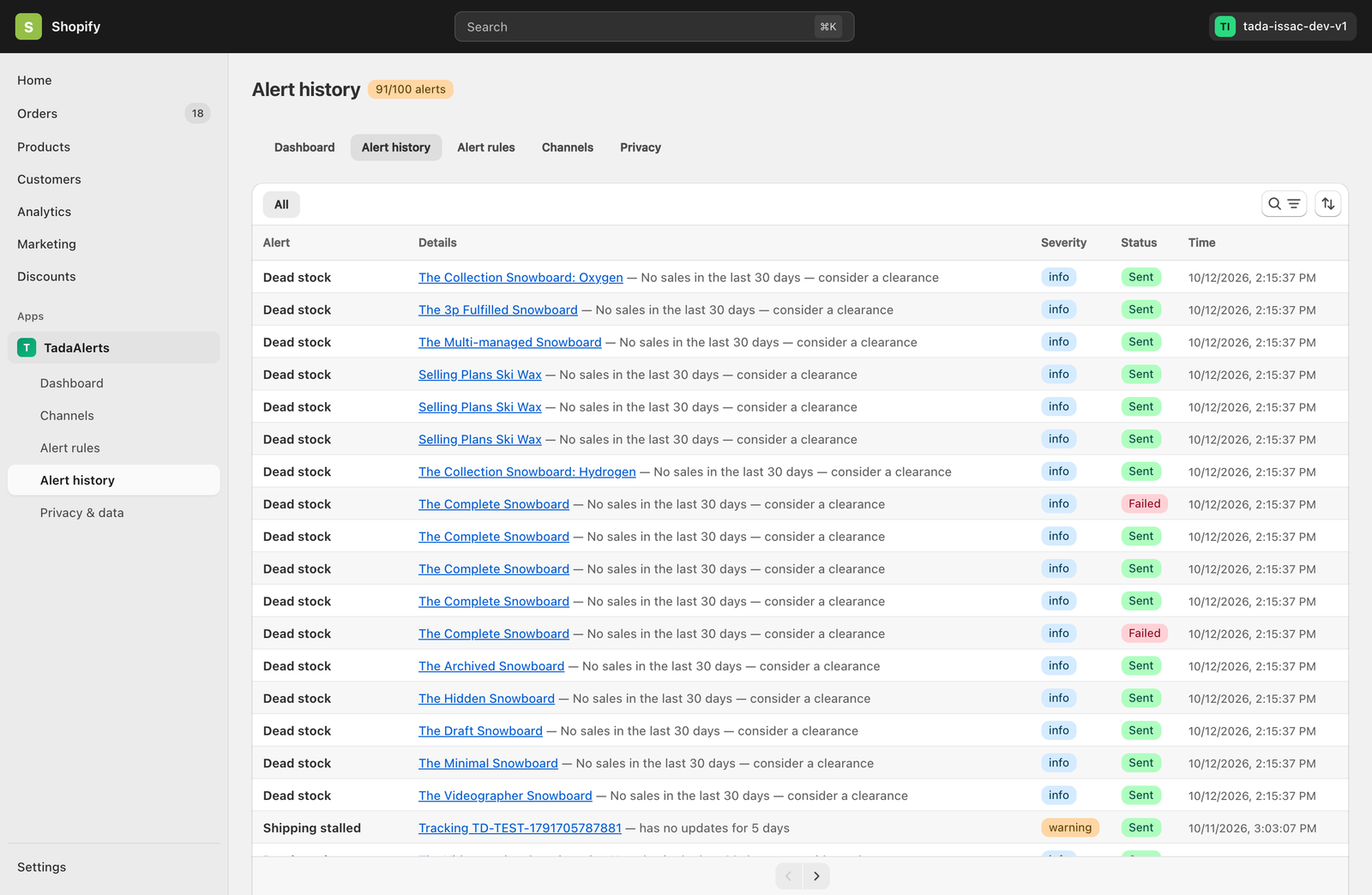
- Direct Resource Links: Product names and tracking numbers inside the Details column link directly to the corresponding Shopify Admin product page or carrier tracking page.
- Severity & Delivery Badges: Quickly distinguish
info,warning, andcriticalalerts, and verify whether each notification wasSentorFailed. - Search & Sort: Use the table search/filter toolbar in the top-right corner of the card to search by product title, order number, or alert type, and toggle chronological sort order.